|
|
本帖最後由 net.man 於 2026-6-18 20:49 編輯
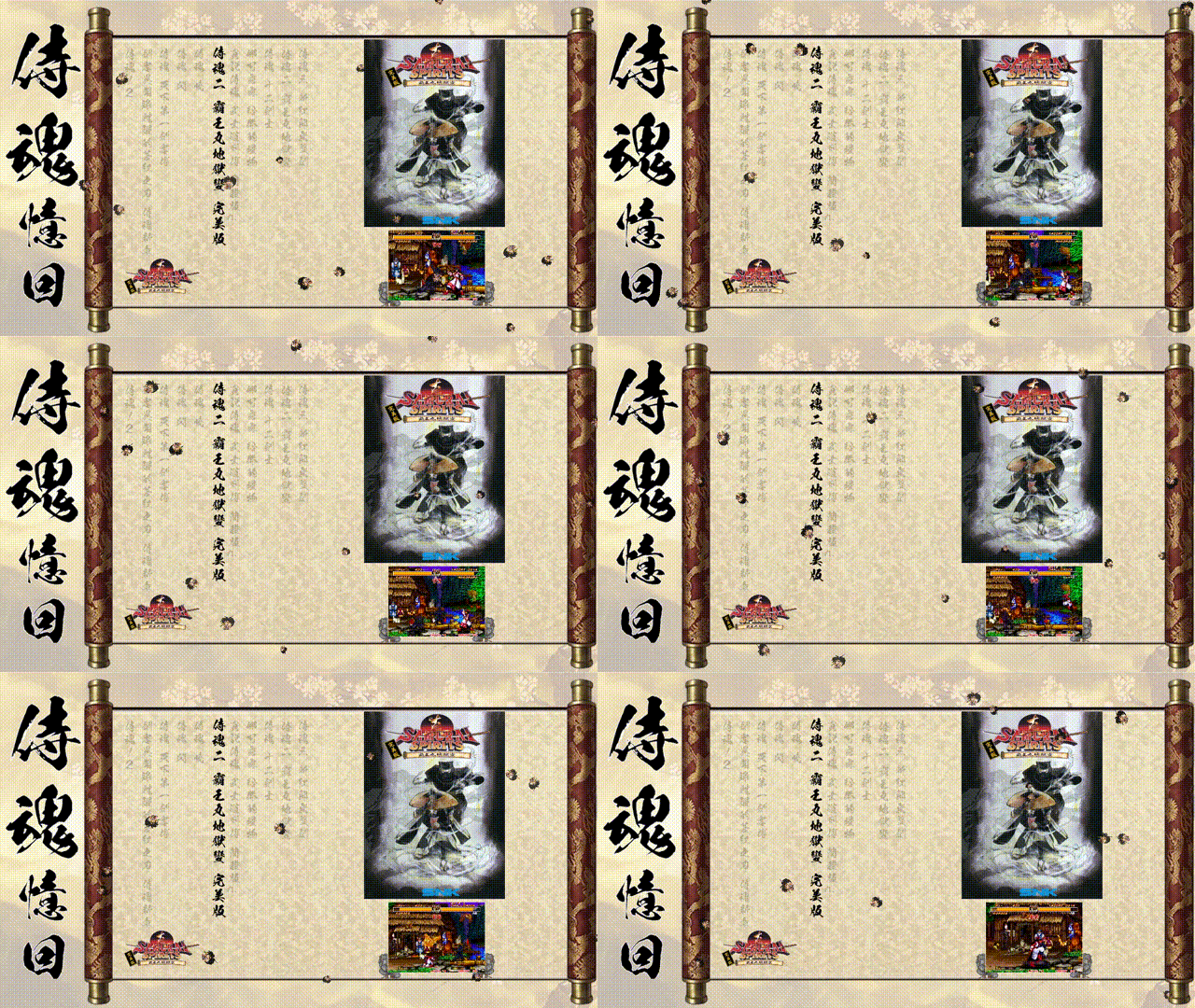
本來要新增一個外掛,但失敗了~
所以還是以參數較為穩當
老樣子~~~參考"侍魂憶回"
1.找到"layout.NUT" 用記事本編輯
X:\samurai shodown Classic\layouts\samurai shodown Classic\layout.NUT
2.新增參數開啟參數
class UserConfig {
//加入下列這對參數
</ label="Enable Sakura Effect", help="是否啟用櫻花飄落特效", options="Yes,No", order=5 />
enable_sakura="Yes";
3.在最下面新增下列參數,可依照喜好~~櫻花啦、小霸王、下雪啦!、改一下參數就變成下雨啦~~圖片要去背
// =====================================================================
// --- 【動態物理特效:櫻花飄落系統】 ---
// =====================================================================
if (my_config["enable_sakura"] == "Yes")
{
local max_sakura = 16; // 畫面同時出現的花瓣數量上限
local sakura_particles = [];
// 單片櫻花的獨立物理狀態類別
class SakuraPetal {
obj = null;
speed_y = 0.0;
speed_x = 0.0;
swing_range = 0.0;
swing_speed = 0.0;
rot_speed = 0.0;
time_counter = 0.0;
constructor() {
// 隨機初始位置(從上方螢幕外隨機生成掉落)
local start_x = rand() % 1280;
local start_y = -(rand() % 200) - 20;
// 建立櫻花實體物件 "圖片的名稱"
obj = fe.add_image("sakura.png", start_x, start_y, 24, 24);
// 隨機賦予每片櫻花不同的物理數值
speed_y = (rand() % 20 + 15) * 0.07; // 下落速度
speed_x = (rand() % 10 - 5) * 0.05; // 基礎風向偏移
swing_range = (rand() % 15 + 5) * 0.1; // 左右擺動幅度
swing_speed = (rand() % 20 + 10) * 0.002; // 左右擺動頻率
rot_speed = (rand() % 40 - 20) * 0.1; // 自轉速度
time_counter = (rand() % 100).tofloat(); // 隨機時間相位避開同步同步
// 隨機微調花瓣初始大小與透明度
local scale = (rand() % 8 + 6) * 0.1;
obj.width = (24 * scale).tointeger();
obj.height = (24 * scale).tointeger();
obj.alpha = rand() % 55 + 200;
}
// 刷新物理動態
function update(dt) {
time_counter += dt * 0.05;
// 計算物理移動(結合基礎下落與正弦波擺動)
obj.y += (speed_y * dt * 0.06);
obj.x += (speed_x * dt * 0.06) + (cos(time_counter * swing_speed) * swing_range);
obj.rotation += (rot_speed * dt * 0.06);
// 若飄出螢幕底部或兩側,則重置回螢幕上方重新飄落
if (obj.y > 740 || obj.x < -30 || obj.x > 1310) {
obj.y = -(rand() % 100) - 20;
obj.x = rand() % 1280;
time_counter = (rand() % 100).tofloat();
}
}
}
// 初始化所有櫻花粒子
for (local i = 0; i < max_sakura; i++) {
sakura_particles.push(SakuraPetal());
}
// 每幀更新即時渲染監聽
local last_time = 0;
function sakura_tick_handler(ttime) {
if (last_time == 0) {
last_time = ttime;
return;
}
local dt = ttime - last_time;
last_time = ttime;
// 防呆限制,避免視窗卡頓時粒子暴衝
if (dt > 100) dt = 100;
foreach (petal in sakura_particles) {
petal.update(dt);
}
}
fe.add_ticks_callback("sakura_tick_handler");
}
完成圖


Attract-Mode教學:1基礎認識
https://gmerago.com/forum.php?mod=viewthread&tid=6702
Attract-Mode教學:2.文字設定
https://gmerago.com/forum.php?mod=viewthread&tid=7476
Attract-Mode教學:3.中文化
https://gmerago.com/forum.php?mod=viewthread&tid=7516
Attract-Mode教學:4.romlists編輯
https://gmerago.com/forum.php?mod=viewthread&tid=7569
Attract-Mode教學:5.各模擬器參數設定
https://gmerago.com/forum.php?mod=viewthread&tid=7778
Attract-Mode教學:6.換頁
https://gmerago.com/forum.php?mod=viewthread&tid=9146
Attract-Mode教學:7.影片角度
https://gmerago.com/forum.php?mod=viewthread&tid=9263
Attract-Mode教學:8.模擬器整合
https://gmerago.com/forum.php?mod=viewthread&tid=9389
Attract-Mode教學:9.櫻花飄特效
https://gmerago.com/forum.php?mod=viewthread&tid=9455
|
評分
-
查看全部評分
|




 發表於 2026-7-1 07:28:40

 發表於 2026-7-1 07:56:55
